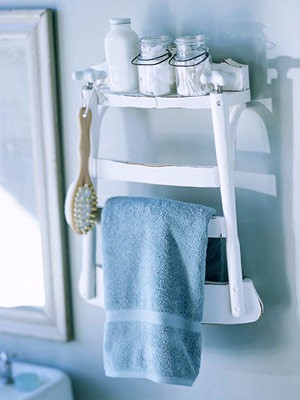
 Recycle an old chair into a shelf with towel holder. Cut off chair mid-seat to the length of the shelf you want. Screw on some brakets and hang on the wall–This is awesome!
Category: Around the house
Dorm Room Air Conditioner
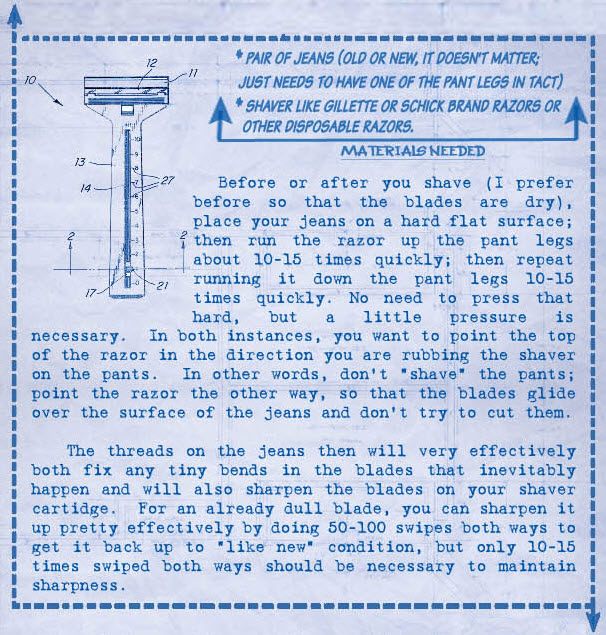
How to drastically increase the life of razors
Thanks sg
Make Your Phone Louder Instantly
This situation has happened to all of us- you and your friends want to listen to some music on your smartphone/iPod/iPhone but you don’t have any speakers laying around. The downward-facing speakers built in just aren’t loud enough to play music for everyone to hear over background noise. Good news! There is an easy solution, just drop your iPhone, smartphone or mp3 player into an empty glass.
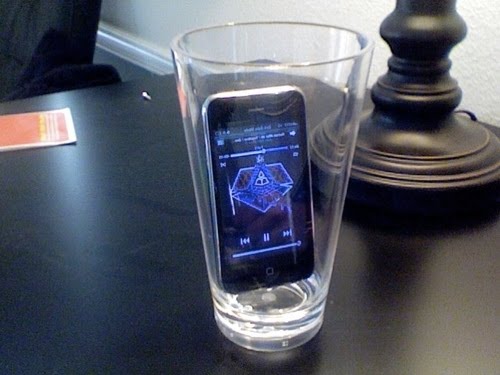
When placed onto a hard surface, the glass amplifies both bass and volume so that everyone can hear. We have personally tested this in noisy kitchens, backyards, and even running water. The volume is significantly and instantly increased to a decent level.
5 Minute Tech Clean Up

With only five minutes to work with, you can still get a lot done. And if you take five minutes from each day to tackle one of these quick tech clean routines plucked from the Unplggd archives, you’ll have every nook and crannie of your office spotless by week two.
- Use a toothbrush or cotton swab to get the gunk out of hard-to-reach monitor corners. (Two Toiletries To Clean Your Computers With)
- Mix up water and vinegar to get a streak-free screen finish. (How To Clean Your Screen Without Leaving Streaks )
- Get rid of lime deposits and iron stains by running your dishwasher with Kool-Aid powder. No, really. (Clean Your Dishwasher Easily with Kool-Aid)
- Use a big pink eraser to wipe down the buttons on your cell phone and TV remote… (5 Household Tech Items You Can Clean With An Eraser)
- …then use it to clean and buff the metallic connections on a memory card or video game cartridge. (5 Household Tech Items You Can Clean With An Eraser)
- Blow dust away from vents with your DSLR’s air blower. (Using a DSLR Air Blower to Clean Your Computer Monitor)
- Clean between your keyboard keys with a mascara brush… (Use a Mascara Brush to Clean Keyboards)
- …or the sticky side of a strip of tape or Post-It note. (Clean Your Keyboard with Tape or a Sticky Note)
- You can also use that tape to clean the gunk from your mouse’s scroll wheel or scroll dot. (How To Clean Apple’s Mighty Mouse without Disassembly)
- Remove discoloration from white devices (like your MacBook) with a bit of toothpaste. (Clean MacBook Stains with Toothpaste)

